Saltar al contenido
Recién actualizado140 versiones nuevas en las últimas 24 horasDescargas que quedan hoy: de de restantesHoy no quedan descargas · Se restablece en h
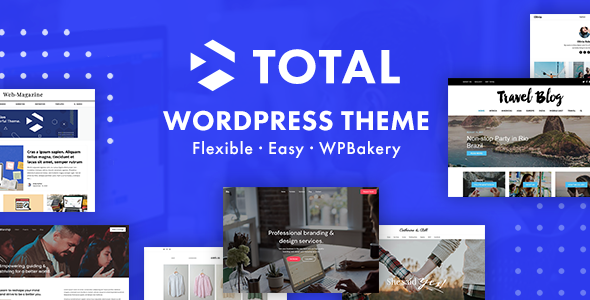
Imagen de portada de Total - Responsive Multi-Purpose WordPress Theme (tema)

TemaActualizado

Total - Responsive Multi-Purpose WordPress Theme

v6.8Sitios ilimitados

Datos del producto

Versión
6.8
Publicado
4 septiembre 2026
Tipo
Tema
Licencia
GPL
Incluido en
Todos los planes, o $5.24 por separado

Resumen

Total – Responsive Multi-Purpose WordPress Theme.

Versión 6.8, actualizada el 4 septiembre 2026.

Registro de cambios

Versión 6.8 — 1 septiembre 2026

  • Nuevo New Plugins theme panel to install, update and manage bundled plugins.
  • Nuevo WP Dashboard warning if your site is unable to connect to the updates server.
  • Nuevo Narrow page layout, great for legal pages or single blog posts.
  • Nuevo Compact List card styles (left image right details, similar to the Post with Thumbnails widget).
  • Nuevo Ability to insert preset options to various theme element fields in Elementor (border radius, line height, letter spacing, etc), matching the presets dropdown used in WPBakery.
  • Nuevo Primary Taxonomy Term section type to the Post Meta element for displaying only the first/primary category, tag or other taxonomy term.
  • Nuevo Support for the Appearance > Fonts panel so fonts registered here will appear for selection in Customizer and theme elements if you prefer this panel over the theme’s Font Manager.
  • Nuevo Notice in the Customizer under Header > General linking to the Header Aside Content settings.
  • Nuevo Customizer option to modify the text color when choosing the Navbar or Fixed Top Navbar mobile menu styles.
  • Nuevo Frontend Editor Width field to Dynamic Templates when selecting a part type. This is useful when creating template parts, such as a custom sidebar, as it helps better visualize the final output.
  • Nuevo Option to enable a blank canvas when working with DynamicTemplate part types.
  • Nuevo Support for the Relevanssi plugin when making search queries with the Post Cards element.
  • Nuevo Dismissible notices to WPBakery element edit windows to recommend better theme alternatives.
  • Nuevo Option to the Post Meta for the estimated read time to choose from 3 different formats (3 minute read time, 3 min read, 3 min or 3m).
  • Nuevo Font Family, Font Weight & Font Style options to the Post Meta element.
  • Nuevo Option to the Post Meta element so you can disable the default link on the author and term based items.
  • Nuevo Post Views option to the Post Meta element if you have the free Post Views plugin active.
  • Nuevo Extra class name field to the Post Meta element repeater field so you can add custom classes on a per-item basis.
  • Nuevo Layout (Vertical or Horizontal) option to the Milestone element.
  • Nuevo Missing typography options to the Milestone element (letter spacing, line-height, font-style, etc).
  • Nuevo Global color option to the Milestone element so you don’t have to manually set the icon, number and caption separately.
  • Nuevo Hover color options to the Milestone element (color, border and background).
  • Nuevo Text transform option to the split heading element.
  • Nuevo Extra options to the Posts with Thumbnails widget to control the post title and excerpt font sizes.
  • Nuevo Option to the Post Cards to select the load more button style.
  • Nuevo Font Style, Max Width and Align options to the Post Excerpt element.
  • Nuevo Icon option to the Alert element.
  • Nuevo Option to the Navigation Bar element to enable/disable the active page styling.
  • Nuevo Option to the Navigation Bar element to re-enable the All link for the filter when an active item is selected.
  • Nuevo Source option to the Image Grid, Image Carousel & Image Slider elements to clean up the Gallery tab making it easier to set up and edit the elements.
  • Nuevo Option to select your image size for the Icon box when displaying an image with separate settings to crop the image and to set the image display dimensions.
  • Nuevo Social Fields setting for the Staff post type to choose which social fields display on staff members and in what order.
  • Nuevo Font Family field for the Icon Box Alternative Icon Character.
  • Nuevo Order and Orderby options to the Image Slider & Image Gallery Slider elements.
  • Nuevo Honeypot anti-spam protection to the Contact Form element.
  • Nuevo An option to the Navigation Bar element to control whether the active filter term is automatically moved to the first position.
  • Nuevo Ability to enable the download attribute for links added to the Icon Box, Teaser Box and Callout elements.
  • Nuevo Date Format, Date Type & Date Prefix fields to the Author Box element for use with styles that display a date.
  • Nuevo Support for any theme social profile (Github, Bluesky, Threads, Twitch and more) as a Staff social field, previously limited to a fixed set of 10.
  • Nuevo Typography settings to the Social Links element for the label.
  • Nuevo Font Size & Font Weight options to the WPBakery Tabs & Tour elements when using one of the theme styles.
  • Nuevo Custom search terms for theme elements in WPBakery to improve discoverability. For example, searching for “categories” will now show the “Post Meta” element.
  • Nuevo Align Content and Place Content utility classes.
  • Nuevo Image Gallery as a field type for the theme’s custom metabox and updated the existing gallery metabox to use it.
  • Mejorado Bundled plugins (Total Theme Core, WPBakery, Templatera, Slider Revolution) now require an active theme license to install and update.
  • Mejorado License API connection handling with smarter retries and a notice when a site can’t reach the license server.
  • Mejorado Theme Updates API so it’s no longer required to have a backup WordPress.org theme installed.
  • Mejorado Theme elements remain registered when the Total Theme Core plugin is active even if the theme is disabled.
  • Mejorado Various select fields for theme elements to be a custom input field for greater control.
  • Mejorado Theme Element fields in WPBakery to use numeric inputs with a unit selector. However, if you begin typing a letter instead of a number, the field will automatically switch to the custom unit input, so you don’t need to manually change the unit type before entering your value unless you want to.
  • Mejorado The design of responsive theme element fields in WPBakery (such as Font Size).
  • Mejorado The Visibility, CSS Animation, Bottom Margin, Unique ID and Extra Classname theme element fields are now at the bottom of the General tab for consistency.
  • Mejorado The design of various theme element fields in WPBakery so they will match the upcoming 9.0 WPBakery version.
  • Mejorado All select fields when editing theme Elements in the WPBakery page builder to use a custom dropdown component instead of the native browser select, in preparation for WPBakery 9.0.
  • Mejorado The theme’s Icon Selector to include keywords for various icons making it easier to find icons without having to know the exact icon name.
  • Mejorado The frontend editor, when editing a Modal dynamic template type, the system now checks for the custom width and applies it to the preview and it uses a blank canvas to improve visualization of the final output.
  • Mejorado The metabox media upload field to render its preview with JavaScript when selecting a new item instead of sending an ajax request.
  • Mejorado The theme removes custom Google fonts loaded by WPBakery in their editor to speed things up and prevent issues where Google fonts aren’t allowed.
  • Mejorado Various deprecated WPBakery fields so if the value was empty the field will no longer display and if it had a value it now only allows you to remove the old value, not enter a new one.
  • Mejorado The theme license key now remains saved if the license becomes unregistered, so it can be re-activated without having to re-enter your purchase code.
  • Mejorado Theme & Plugin updates will now show up in the WP admin even if your theme license is not active. This way sites without a registered license are still notified when their site is outdated.
  • Mejorado The AJAX Load More and Infinite Scroll methods for standard archives (non-dynamic templates) so they dynamically load scripts required by newly loaded entries instead of preloading scripts that may not be needed. Additionally, the javascript has been updated to remove the jQuery dependency.
  • Mejorado The Custom CSS panel is now part of the theme rather than the Total Theme Core plugin (saved CSS is unaffected).
  • Mejorado The Custom CSS panel to require the same permission as the Customizer’s Additional CSS, so it’s hidden from users who can’t edit CSS there (saved CSS is unaffected).
  • Mejorado The Custom Actions panel now requires the unfiltered_html capability, matching how WordPress gates raw HTML editing. On multisite this limits the panel to super admins by default (grant unfiltered_html to a role to restore access). Existing saved actions are unaffected.
  • Mejorado The Table of Contents element is now available in Gutenberg if you wish to use it on a per-post basis rather than in a dynamic template.
  • Mejorado Custom SVG icon loading for faster performance when the same icon is used multiple times on a page.
  • Mejorado The element grid design in the WPBakery Insert Element window.
  • Mejorado Customizer fields with unit selectors so if you type in a non-numerical character, it will automatically swap to the custom unit type so you don’t need to manually click and change units.
  • Mejorado Customizer settings with only a few choices to display as a button group instead of adropdown.
  • Mejorado The customizer header “Aside” settings now have their own tab under the Header tab instead of being at the bottom of the General tab.
  • Mejorado Various Elementor fields to allow custom values instead of only using preset options.
  • Mejorado The Icon Box element so you can define a crop and display height/width separately when displaying an image instead of an icon.
  • Mejorado The Social Links element to show the selected social media icons in the backend WPBakery editor.
  • Mejorado The Toggle element backend view in WPBakery so the content is visible.
  • Mejorado The Ion Box Icon Spacing field so it allows custom input.
  • Mejorado The Navigation Bar element when set to display taxonomy terms now excludes empty terms by default, a new setting has been added if you do wish to display empty terms.
  • Mejorado Icon pickers for the WPBakery icon libraries (Font Awesome, Material, Entypo, etc.) so they are lazy loaded only when you open the picker, thus element settings panels open faster. This optimization is only possible for theme elements.
  • Mejorado The Image Gallery metabox design so the images are smaller and it looks more modern.
  • Mejorado The Social Links Spacing field to Gap and added support for custom input values, including CSS gap shorthand for separate horizontal and vertical spacing.
  • Mejorado The theme’s global color picker design.
  • Mejorado The theme panel now purges your permalinks when enabling or disabling one of the built-in post types.
  • Corregido Visual design bugs in WP 7.0 in various theme admin pages and WPBakery fields.
  • Corregido Some issues in the upcoming WPBakery 9.0 version, however, some fixes will need to be added once the official update is live to prevent issues with the current version of the plugin.
  • Corregido WPML compatibility and translation support for various theme elements and fields.
  • Corregido Margin issues in the Gradient selector in WP 7.0.
  • Corregido Milestone element not allowing 0 as the number.
  • Corregido Aspect ratio not working for the Video element when the embeded iframe contains a height attribute.
  • Corregido An issue where using the responsive toggle in WPBakery fields (e.g. Font Size) could prevent smaller device values from being saved when no desktop value was set.
  • Corregido Issue where you could only used standard numbered pagination with the Post Cards element on a custom search template when the Relevanssi plugin was active.
  • Corregido Responsive font size CSS being inserted twice for the theme button element.
  • Corregido Custom Search Sidebar setting showing as disabled by default in the Customizer.
  • Corregido Alignment not working with the Total button element in Gutenberg when WPBakery is active.
  • Corregido Issue where the theme was loading Google Fonts that were registered locally via Appearance > Fonts.
  • Corregido Milestone element not available in Elementor.
  • Corregido The “ Excerpt Max Lines” setting not working for featured cards.
  • Corregido Issue where text shadow settings in WPBakery were not saving when using the Auto Save feature.
  • Corregido Custom units not applying correctly in top/right/bottom/left fields for Total theme Elementor widgets.
  • Corregido When moving a staging site to a live site with an active license, if the license is not currently registered to a live domain it will be automatically registered.
  • Corregido Issue where setting an active filter term in the Navigation Bar and the same term in the targeted Post Cards element under “Include Terms…” would prevent the filterable menu from working correctly as clicking other terms would always return the active term posts.
  • Corregido An issue where custom, non-global fonts may not load correctly in WPBakery frontend editor previews.
  • Corregido The ‘wpex_enqueue_google_font’ filter was only applied to fonts defined in the Customizer not elements.
  • Corregido Design issues from recent WordPress update in the Portfolio, Staff, Testimonial post type icon select window.
  • Corregido Fonts added to the Font Manager as a “Custom” font type with an alias were not working.
  • Corregido Footer Reveal not working properly with the Vertical Header style.
  • Corregido Custom SVG icons losing parts of their design (gradients, transforms, masks, text) when rendered on the site.
  • Corregido Elementor global colors not applying to Total widgets until a second change was made.
  • Corregido Stray text appearing next to custom SVG icons exported from Illustrator, Figma or Inkscape.
  • Corregido Theme admin pages not showing admin notices.
  • Eliminado TGMPA Library which was previously used for bundled plugin management.
  • Eliminado Gray color on hover on the Milestone element when a link is added to the whole container.
  • Eliminado The Single Post Lightbox checkbox from the Image Gallery metabox for new theme installations. This is a legacy setting that simply creates bloat on new installs. A filter has been added to opt-in or opt-out of the lightbox checkbox.
  • Eliminado The Pixel icon type from various theme elements. These image-based icons are outdated and no longer recommended for modern websites. Existing selections will continue to work, but the Pixel icon type can no longer be selected.

Versiones anteriores

  • 6.7 (12 mayo 2026): 5 nuevo, 12 mejorado
  • 6.6 (8 marzo 2026): 39 nuevo, 25 mejorado, 24 corregido
  • 6.5 (19 noviembre 2025): 18 nuevo, 17 mejorado, 19 corregido

Preguntas frecuentes

¿Total - Responsive Multi-Purpose WordPress Theme es gratis?

El código de Total - Responsive Multi-Purpose WordPress Theme tiene licencia GPL, así que cualquiera puede usarlo, modificarlo y compartirlo. Mercado GPL es un servicio de pago: un plan o la compra de Total - Responsive Multi-Purpose WordPress Theme te da la descarga y sus actualizaciones. El soporte del propio desarrollador, su clave de licencia y sus servicios en línea no están incluidos.

¿Qué versión de Total - Responsive Multi-Purpose WordPress Theme es esta?

Versión 6.8, publicada el 4 septiembre 2026. Las versiones nuevas aparecen aquí cuando el desarrollador las publica.

¿Cómo actualizo Total - Responsive Multi-Purpose WordPress Theme?

Instala MercadoGPL Updater en tu sitio y pega tu clave de Mi cuenta. Instalará por ti las versiones nuevas de Total - Responsive Multi-Purpose WordPress Theme.