 Tema
Tema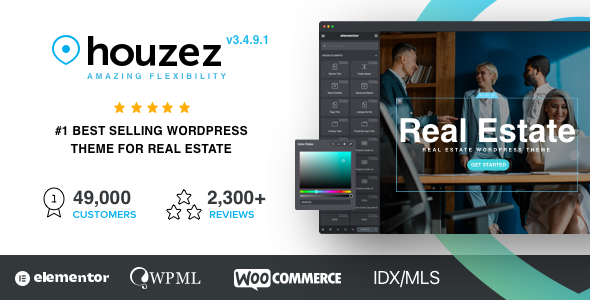
TemaActualizado
Houzez - Real Estate WordPress Theme
Datos del producto
- Versión
- 4.4.3
- Publicado
- 20 octubre 2026
- Tipo
- Tema
- Licencia
- GPL
- Incluido en
- Todos los planes, o $5.24 por separado
Resumen
Houzez – Real Estate WordPress Theme.
Versión 4.4.3, actualizada el 20 octubre 2026.
Registro de cambios
Versión 4.4.3 — 19 octubre 2026
- Mejorado Load Captcha on Form Use option, on by default. Google reCAPTCHA and Cloudflare Turnstile were loaded on every page, and a widget was rendered for the hidden login and register forms even when nobody opened them. The captcha script now loads only when a visitor opens or starts filling in a form that has a captcha, which makes every other page view faster. Turn the option off to load the captcha on every page as before.
- Mejorado New houzez_listing_address_parts filter for developers. It lets a child theme change the address shown on listing cards, the property page, the property preview and map pop-ups (for example, to show the street address when a listing has no Area) without overriding the templates.
- Mejorado List and grid cards now show at most two property labels, so properties with many labels no longer crowd the card image. The property page still shows all labels. Developers can change the number with the houzez_listing_card_max_labels filter.
- Corregido The Houzez: Property Taxonomies sidebar widget marked its list as an ARIA tree, which caused accessibility errors on archive pages and made screen readers announce a tree view. It is now a plain list, and its items are announced as links again.
- Corregido The header login, register, favorites, phone number and Create a Listing links (desktop header and mobile account panel) were marked up as an ARIA menu without the keyboard behaviour a menu needs. This caused accessibility errors on every page and made screen readers announce a menu. They are now ordinary links.
- Corregido The icon-only login button in the header had no accessible name, so screen readers read it only as “link”. It is now announced as “Login & Register”.
- Corregido The property Share dropdown and the search form dropdowns (status, type, label, price, bedrooms, bathrooms and rooms) were also announced as menus. They no longer use menu roles.
- Corregido The currency and area unit switchers in the top bar could not be used with the keyboard. Each option is now a focusable link that works with Tab and Enter, and the switchers are no longer announced as menus.
- Corregido The status tabs on the search form marked every tab as selected, and the map View button used invalid aria-bs-* attributes. Only the active tab is now marked as selected, and the attributes are valid.
- Corregido The Preview , Favourite and Compare icons on property cards, and the favourite, share and print icons on the property page, could not be reached with the keyboard and had no name for screen readers. They are now named buttons that work with Tab, Enter and Space.
- Corregido Slider arrows on property cards, galleries and testimonials, the pagination arrows, the grid/list view buttons, the map zoom buttons and the back-to-top button had no accessible name. Screen readers now announce them, for example “Next”, “Last page” or “Grid view”, and the current page in the pagination is marked.
- Corregido Social media icons on agent, agency, author and splash pages, and image links on blog, agent and agency cards, had no accessible name. They are now announced by network name or title.
- Corregido Listing, agent and agency grids were marked as ARIA lists without list items, causing accessibility errors on every listing page. The redundant ARIA roles on listing sections and the Sort by dropdown are also removed.
- Corregido Links and buttons inside the hidden slides of property carousels could still be reached with the Tab key. Hidden slides are now skipped.
- Corregido Star ratings were marked as images without a name, and on author pages this hid the “See all reviews” link. Screen readers now read the rating, for example “Rated 4.5 out of 5”.
- Corregido The All / status links above listings and on agent and author pages were marked as tabs, although they load a new page. They are now links, and the current one is marked. The author page contact details also no longer use invalid list markup.
- Corregido The agent avatar on property cards was marked as an image without a name, causing an accessibility error on every card. The avatar is decorative, because the agent name is shown next to it, so it is now hidden from screen readers. The same unnamed image role is also removed from the agent contact cards and the About widget.
- Corregido The invisible link over the main property image that opens the gallery had no name. It is now announced as “Gallery”.
- Corregido The Favourite button on property pages and cards now tells screen readers whether the property is saved, and stays in sync when you add or remove it, including for visitors who are not logged in. The property tools on the property page are also no longer marked as a toolbar, which removed their list structure without adding toolbar keyboard navigation.
- Corregido Deleting a property did not always give the listing back to the agent’s membership package. Agents who kept live listings when their package was renewed got nothing back, or even lost listings, and an agent whose package was full could end up with no remaining listings at all. A deleted listing that was published, pending or on hold now always returns its slot (and its featured slot, if it was featured), without going above the package limit.
- Corregido Stripe subscription renewals were not recorded for members without a saved subscription ID, for example subscriptions created with a Stripe payment link. The webhook stopped with a PHP fatal error, so the membership showed as expired while Stripe kept charging, and Stripe kept retrying the webhook. The renewal is now recorded, and the subscription ID is taken from the paid invoice and saved.
- Corregido The Stripe webhook no longer stops with a fatal error when a Stripe request fails. It logs the error and answers Stripe with a proper status code.
- Corregido Stripe subscription dates are read correctly on Stripe accounts that use API version 2025-03-31 or newer, where the billing period and the invoice’s subscription moved to new fields.
- Corregido Cancel Stripe Subscription on the membership dashboard no longer fails with a fatal error when no subscription ID is saved. It now shows an error message when the cancellation fails, and the request is protected with a security check.
- Corregido The mobile header’s menu and account buttons, and the close buttons of the mobile menu, the account panel, the property lightbox and contact pop-ups and the CRM side panels, had no accessible name. Screen readers now announce them as “Menu”, “Account” and “Close”, and the menu and account buttons say they open a panel.
- Corregido The Email, WhatsApp and Call buttons in the contact bar on mobile property pages had no accessible name. Screen readers now announce them as “Email agent”, “WhatsApp agent” and “Call agent”. The contact pop-ups on property pages, listing cards and agent pages are now also named by their title, and no longer share the same title ID.
- Corregido WhatsApp messages about a property were cut short when the property title contained characters such as # or &. The WhatsApp buttons in the agent contact form, the agent details on the property page, the listing card buttons and the mobile contact bar now send the full message and the phone number in the format WhatsApp expects.
- Corregido Share → WhatsApp on property pages now includes the link to the property. Before, only the title was shared.
- Corregido Houzez Theme Functionality Plugin: The Elementor Login Modal widget marking its login and register links as menu items, which caused accessibility errors on every page that uses it in the header. Its icon-only button now also has the accessible name “Login & Register”.
- Corregido The Elementor Currency Switcher widget options not being usable with the keyboard.
- Corregido Invalid aria-bs-* attributes on the Elementor Currency Switcher , Area Switcher and Language widgets, and every status tab in the Elementor Search Builder being marked as selected.
- Corregido The Elementor Item Tools widget icons, the zoom buttons of the Google Map , OpenStreetMap and Mapbox widgets, and the social icons of the agent and agency Meta widgets having no accessible name.
- Corregido The Elementor agent and agency listings and similar properties grids being marked as ARIA lists without list items.
- Corregido The invisible gallery link over the main image in the Elementor property top area and image gallery widgets having no accessible name.
- Corregido The favourite button of the Elementor Item Tools widget not announcing whether the property is saved.
- Corregido The Taxonomies Cards and Taxonomies Cards Carousel Elementor widgets marking each card as a definition list. With Hide Count on, the list held only the region name, which accessibility checkers report as an error. The name and count are now plain paragraphs and look the same. The widgets’ title and count style settings keep working: Elementor’s generated CSS is refreshed once after updating.
- Corregido The close button of the Elementor Menu widget’s mobile panel having no accessible name. Pages with more than one Menu widget also no longer repeat the same panel title ID.
- Corregido The WhatsApp icon of the Elementor agent and agency Meta widgets not opening a chat when the number was saved with spaces, brackets or dashes.
- Corregido The Elementor Inquiry Form and Contact Form widgets opening a blank page with raw JSON after sending, instead of showing the success message, when an optimisation plugin removed or delayed the jQuery Form script. The forms now submit without that script.
- Corregido Houzez Studio Plugin: Template lookups filling the wp_options table with expired transients. Every distinct URL created its own transient, causing database bloat. Template lookups now use the WordPress object cache with keys based on the page, not the URL.
- Corregido Leftover fts_posts_criteria_ , fts_template_ and fts_css_generated_ rows are removed automatically in the background after updating, a thousand rows at a time.
- Corregido Saving a Studio template no longer flushes the whole object cache (Redis or Memcached) of the site. Only Houzez Studio’s own cached lookups are refreshed.
- Corregido Property pages can now be served by page caches. Visits were recorded while the page was being built, which looked up the visitor’s location and set a cookie on every property page view, so caching plugins and hosts skipped those pages. The visit is now sent by the browser after the page has loaded, so the page itself sets no cookie and does no location lookup.
- Corregido Views of cached property pages are now counted. Before, a page served from the cache was never recorded.
- Corregido Visitors whose location could not be found no longer trigger two location lookups on every page view. A failed lookup is now remembered for an hour.
Versiones anteriores
- 4.4.2 (6 octubre 2026): 1 mejorado, 9 corregido
- 4.4.1 (22 septiembre 2026): 4 nuevo, 4 corregido, 1 seguridad
- 4.4.0 (26 agosto 2026): 15 nuevo, 2 mejorado, 9 corregido
Preguntas frecuentes
¿Houzez - Real Estate WordPress Theme es gratis?
El código de Houzez - Real Estate WordPress Theme tiene licencia GPL, así que cualquiera puede usarlo, modificarlo y compartirlo. Mercado GPL es un servicio de pago: un plan o la compra de Houzez - Real Estate WordPress Theme te da la descarga y sus actualizaciones. El soporte del propio desarrollador, su clave de licencia y sus servicios en línea no están incluidos.
¿Qué versión de Houzez - Real Estate WordPress Theme es esta?
Versión 4.4.3, publicada el 20 octubre 2026. Las versiones nuevas aparecen aquí cuando el desarrollador las publica.
¿Cómo actualizo Houzez - Real Estate WordPress Theme?
Instala MercadoGPL Updater en tu sitio y pega tu clave de Mi cuenta. Instalará por ti las versiones nuevas de Houzez - Real Estate WordPress Theme.
También te puede gustar
Tema Tema
Tema Tema
Tema Tema
Tema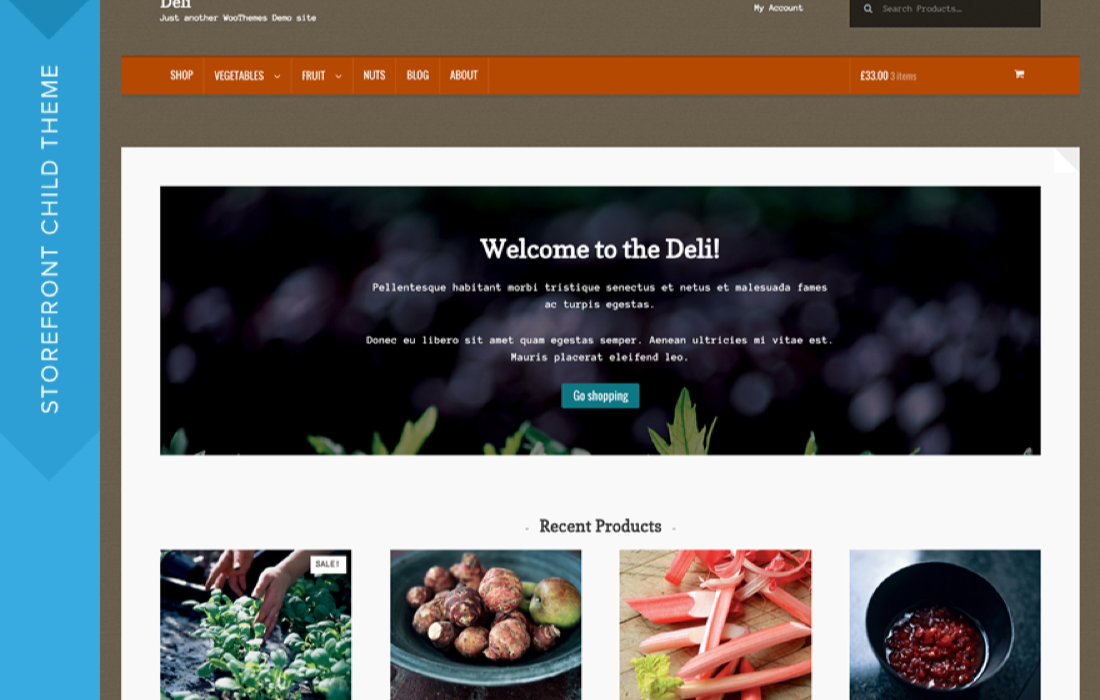 Tema
TemaDeli Theme
$0.74
 Tema
TemaInfinity Pro Theme
$4.49
 Tema
TemaEssence Pro Theme
$4.49
 Tema
TemaMagazine Pro Theme
$4.49